Stripe
Use Stripe for checkout pages, subscriptions, one-time payments, invoices, customer portals, and payment status dashboards.
Example app: ecommerce checkout
Build a full-stack ecommerce app with Stripe payments.
The frontend has product listings, a cart, checkout, and order confirmation.
The backend creates Stripe Payment Intents, stores orders, and handles webhooks.
Use PostgreSQL for products, carts, orders, and payment status.
Keep secret keys on the server and show clear payment errors.
Decide the payment model
Before prompting Cocoding AI, decide:
- One-time payment or subscription.
- Product names and prices.
- Currency.
- Trial period, discount, or coupon behavior.
- Success and cancel pages.
- Webhook events the app should handle.

Recommended environment variables
STRIPE_SECRET_KEY=
STRIPE_PUBLISHABLE_KEY=
STRIPE_WEBHOOK_SECRET=
STRIPE_PRICE_ID_PRO=
Use test mode while building. Store secret keys server-side only. The publishable key can be used in browser code when needed, but the secret key and webhook secret must never be sent to the client.
Prompt Cocoding AI
Add Stripe checkout for the Pro plan.
Use STRIPE_SECRET_KEY and STRIPE_PRICE_ID_PRO on the server.
Use STRIPE_WEBHOOK_SECRET to verify webhook events.
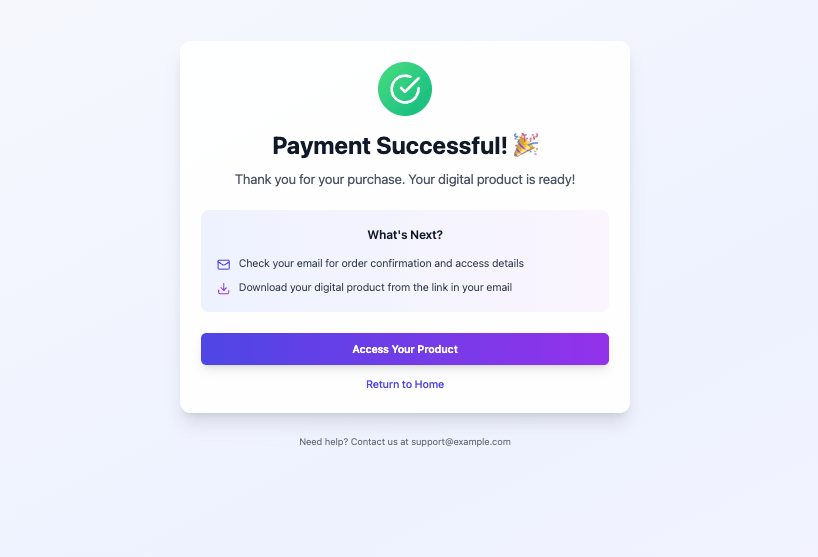
Create success and cancel pages.
Update the user subscription status after checkout.session.completed.
Test payments
- Use Stripe test mode.
- Create products and prices in Stripe.
- Store test credentials in the runtime configuration.
- Start checkout from the Cocoding AI preview.
- Complete payment with Stripe test card data.
- Confirm the app updates subscription or purchase state.
- Trigger webhook test events from Stripe and verify logs.
Webhook setup
Use webhooks when the database must reflect Stripe's final payment state.
- Add a backend route such as
/api/webhooks/stripe. - Verify the webhook signature with
STRIPE_WEBHOOK_SECRET. - Handle events such as
payment_intent.succeeded,checkout.session.completed, or subscription updates. - Update the local order or subscription record after verification.
- Log failed webhook verification without exposing secrets.
For local testing, Stripe CLI can forward events to the generated backend. Keep the webhook signing secret in environment configuration.
Payment status model
Ask Cocoding AI to store clear states such as:
pendingrequires_actionpaidfailedrefundedcancelled
Troubleshooting
| Symptom | Likely cause | What to check |
|---|---|---|
| Checkout will not start | Missing price ID or secret key | Confirm server-side variables are present. |
| Payment completes but app does not update | Webhook not configured | Check webhook URL and signing secret. |
| Secret key appears in client code | Unsafe implementation | Ask Cocoding AI to move Stripe calls to backend routes. |
| Currency or amount is wrong | Price ID mismatch | Confirm the product and price used by the app. |