Schema visualizer
The schema visualizer helps you inspect relationships between tables.
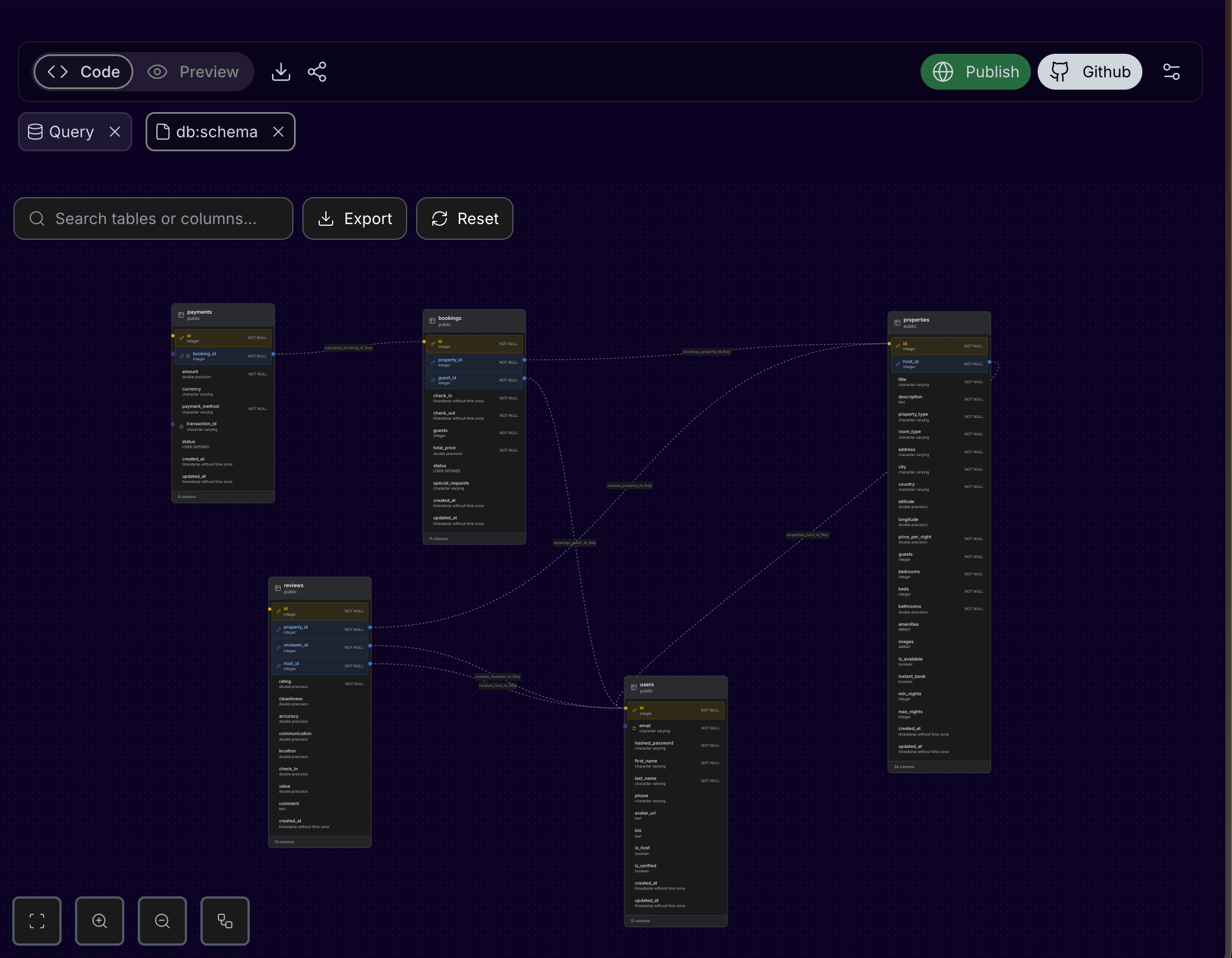
Use it to check
- Primary keys.
- Foreign keys.
- Required columns.
- Unique constraints.
- Table relationships.
When schema view is useful
Use the schema view before requesting larger changes:
- Adding checkout, invoices, or subscriptions.
- Adding user roles or organization membership.
- Adding comments, messages, notifications, or activity logs.
- Debugging why a dashboard total is wrong.
- Preparing a handoff to developers.
How to use the schema view
- Connect to the database.
- Open Schema.
- Search for the table you care about.
- Follow relationship lines to understand which records depend on each other.
- Reset the layout if the diagram becomes hard to read.
- Ask Cocoding AI to explain the schema if table names or relationships are unclear.
Relationship checklist
| Relationship | Example |
|---|---|
| One user owns many records | projects.user_id references users.id. |
| One order has many items | order_items.order_id references orders.id. |
| One project has many tasks | tasks.project_id references projects.id. |
| Many users belong to many organizations | organization_members.user_id and organization_members.organization_id. |
| Payment belongs to a booking or subscription | payments.booking_id or payments.subscription_id. |
Example questions to ask Cocoding AI
Explain how the bookings, listings, and users tables relate to each other.
Which table should I update when a booking is cancelled?
Are there any missing indexes or foreign keys for this schema?
Useful prompts after reviewing schema
The bookings table should reference guests and rooms.
Add the missing foreign keys and update the app forms to use those relationships.
Add a status field to invoices and show paid, unpaid, and overdue totals on the admin dashboard.
Exporting schema
When export is available, use PNG or SVG output for product specs, handoff notes, and team reviews.
Common schema fixes
If the diagram reveals missing relationships, ask for a specific migration:
Add a foreign key from bookings.user_id to users.id and from bookings.property_id to properties.id.
Update the booking creation form so it stores both IDs correctly.
Add seed data that demonstrates these relationships.
If the schema has too many generic columns, ask Cocoding AI to rename them to product language and update the UI labels in the same change.