Feedback and feature requests
Cocoding AI includes feedback and feature request controls in the workspace.
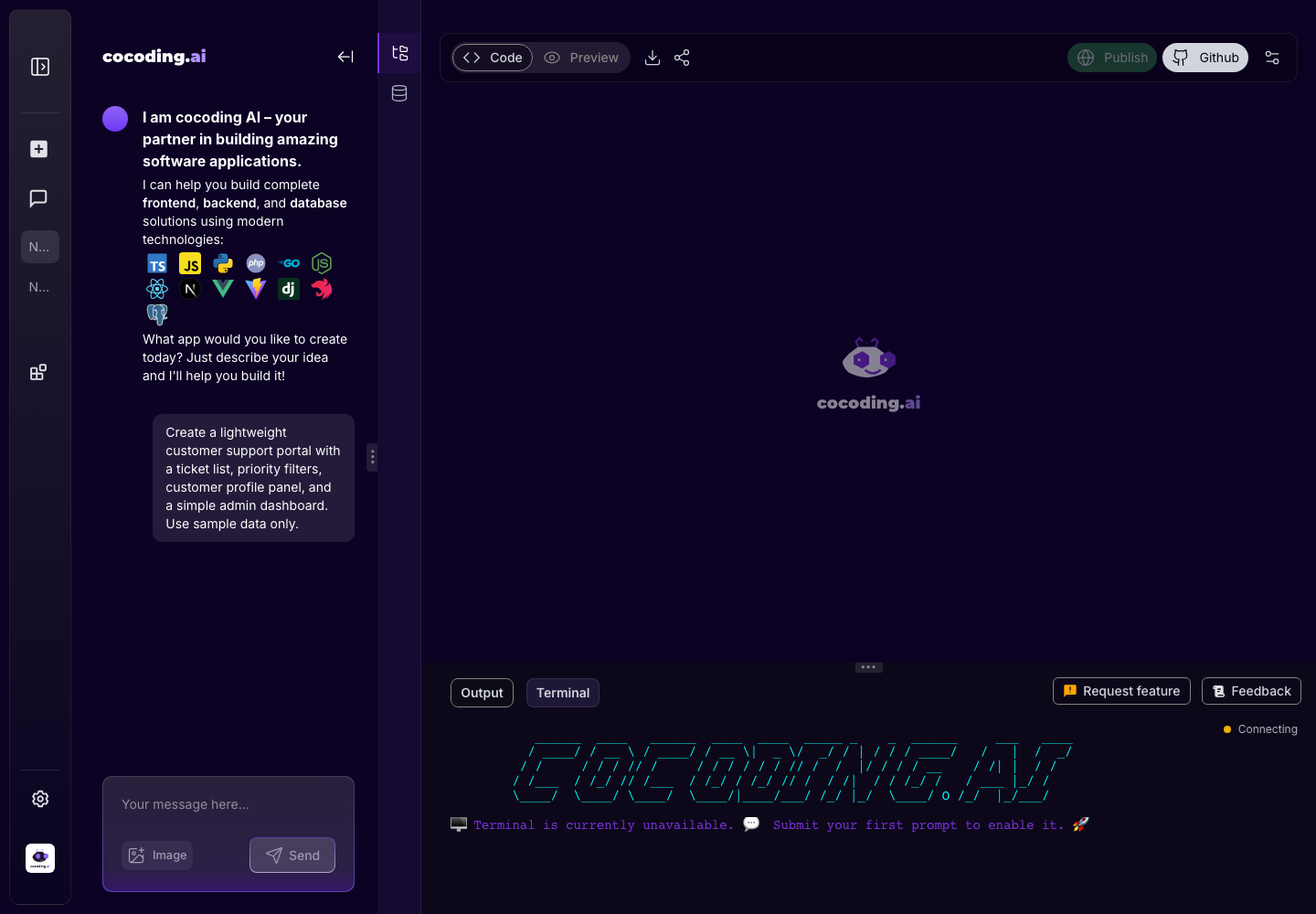
Use feedback for
- Reporting confusing UI.
- Explaining where generation did not match the prompt.
- Suggesting missing product capabilities.
- Requesting connector, billing, or editor improvements.
Write actionable feedback
Include:
- The screen or workflow.
- What you expected.
- What happened.
- A screenshot if it helps and does not contain sensitive data.
- Whether the issue blocks your work.
Good feedback examples
Screen: Preview tab for the booking app.
Expected: The checkout button remains visible on mobile.
Actual: The button moves below the fold and overlaps the price summary.
Impact: Blocks testing on mobile.
Workflow: GitHub export.
Expected: I can connect the project to my repository.
Actual: The control is disabled after the project builds successfully.
Impact: I need to hand the code to a developer.
Feature request format
For feature requests, include:
- Who needs the feature.
- What task it helps them complete.
- Where the control should appear.
- Whether it is needed for one project or every project.
- Any provider, integration, or plan dependency.
Screenshot safety
Attach screenshots when they clarify the issue, but crop or redact:
- Email addresses.
- Private project names.
- API keys or connection strings.
- Payment or customer data.
- Browser tabs showing private systems.