Query editor
The query editor lets you run SQL against the connected PostgreSQL database.
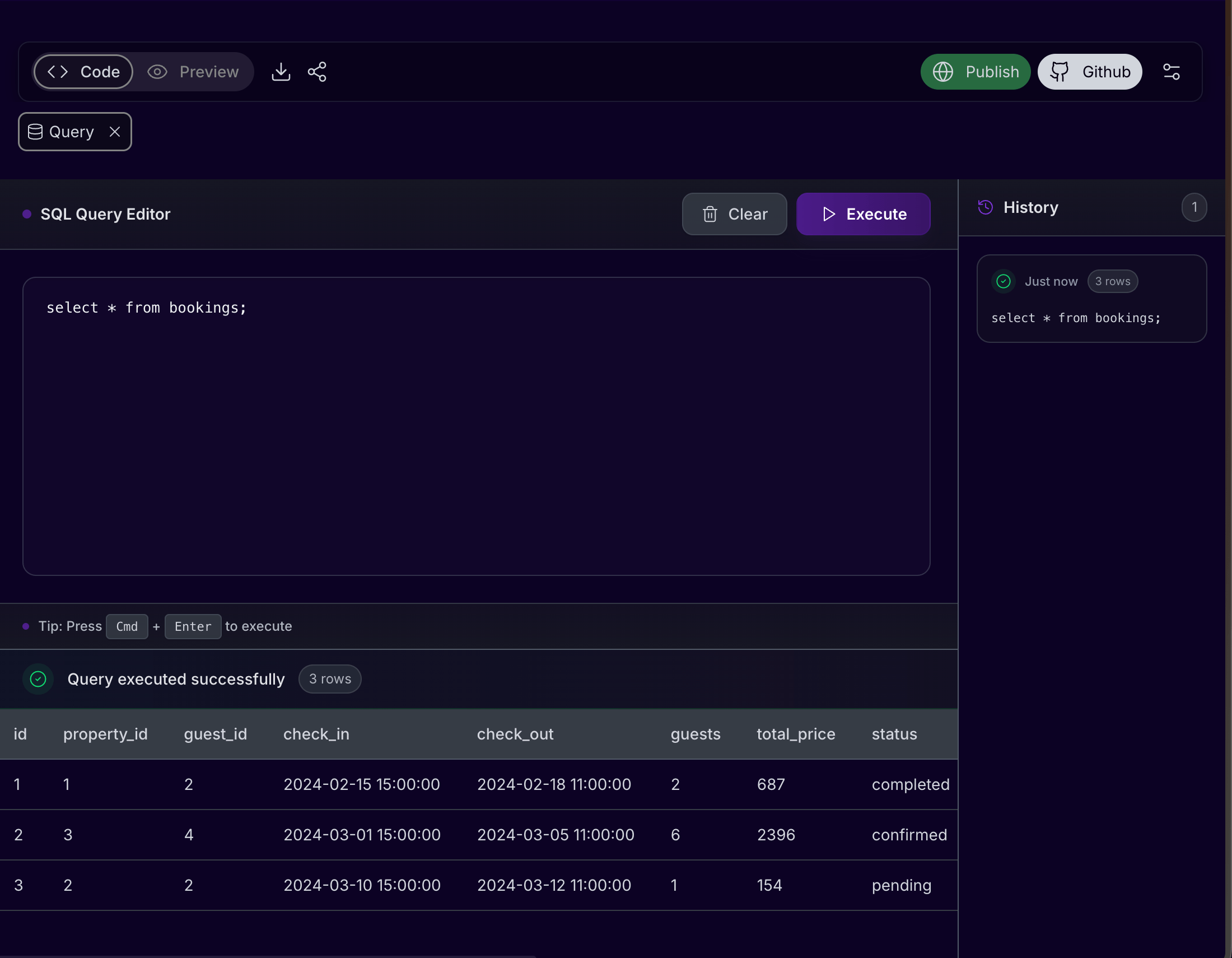
Common query examples
SELECT * FROM bookings LIMIT 10;
SELECT status, COUNT(*)
FROM bookings
GROUP BY status
ORDER BY status;
SELECT rooms.name, rooms.price_per_night
FROM rooms
ORDER BY rooms.price_per_night DESC;
Run a query
- Open the database tool from the workspace.
- Choose Query.
- Write a focused SQL statement.
- Execute it.
- Review the result table.
- Save the query externally if it is useful for later testing.
Query workflow
Use the query editor as a verification tool:
- Confirm the table exists.
- Count records.
- Inspect recent rows.
- Check status values and ownership fields.
- Join related tables when a screen depends on relationships.
- Ask Cocoding AI to update the app only after you know which data is wrong.
Useful checks
| Goal | Query pattern |
|---|---|
| Confirm records exist | select count(*) from table_name; |
| Inspect latest records | order by created_at desc limit 20 |
| Check status workflow | select status, count(*) from table_name group by status; |
| Verify relationships | Join child records to their parent record by ID. |
| Find empty fields | Filter where important columns are null or empty. |
Read-only recipes
SELECT COUNT(*) FROM bookings;
SELECT status, COUNT(*)
FROM payments
GROUP BY status;
SELECT b.id, b.status, u.email
FROM bookings b
JOIN users u ON u.id = b.user_id
ORDER BY b.created_at DESC
LIMIT 20;
Query safely
- Start with
SELECTqueries. - Use
LIMITwhen inspecting large tables. - Avoid destructive statements unless you are in a test database.
- Keep a copy of important data before bulk updates.
- Avoid running copied SQL if you do not understand what it changes.
- Do not paste production data exports into chat.
Keyboard shortcut
Use Cmd + Enter on macOS or Ctrl + Enter on Windows/Linux when the query editor supports quick execution.
Troubleshooting query results
| Symptom | What to check |
|---|---|
| Table does not exist | Ask Cocoding AI to create or run the migration, then refresh the database panel. |
| Empty result | Confirm filters, workspace, owner ID, and status values. |
| Permission error | Check the connected database user and schema privileges. |
| Query is slow | Add LIMIT, filter by indexed columns, or ask for an index recommendation. |
| Preview still wrong | Paste the query result summary and ask Cocoding AI to update the app query or component. |